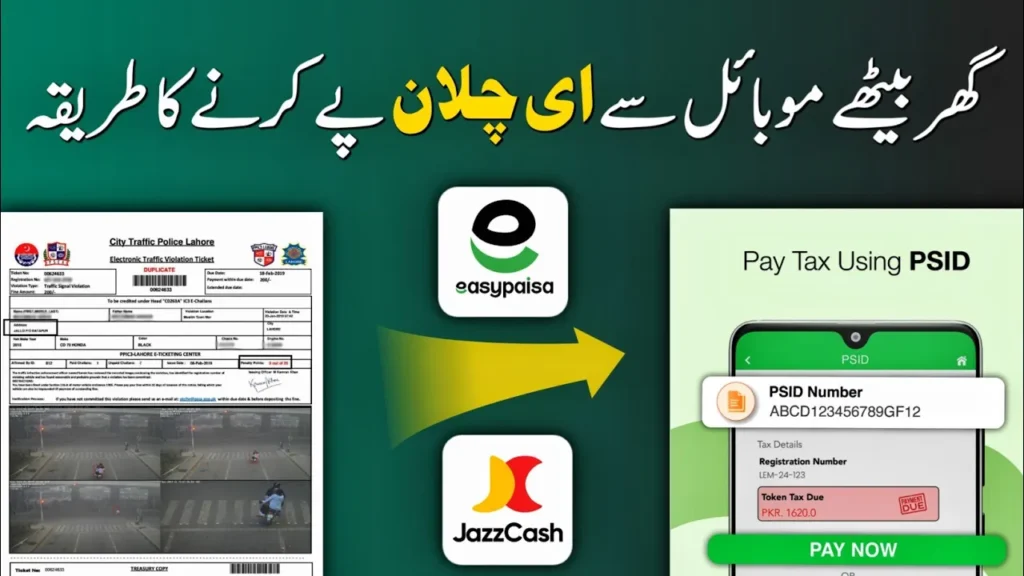
How to Pay Punjab Safe City e-Challan Online (Step-by-Step Guide)
Assalam-o-Alaikum! In this guide, I will show you the complete and easiest method to check, generate, and pay your Punjab Safe City traffic e-Challan online. I am sharing my screen and explaining everything step by step so you can easily understand the full process.
The e-Challan you receive is issued by the Punjab Safe City Authority, and in my case, I have received a Rs. 2000 traffic fine that needs to be paid to the Government of Punjab. Many people get confused because this challan cannot be paid directly through Easypaisa or JazzCash using the ticket number. So what is the correct method? Let me explain.
What Is Punjab Safe City e-Challan?
Punjab Safe City e-Challan is an automated traffic violation fine generated through Safe City cameras. These challans are commonly issued for:
- Helmet violations
- Signal jumping
- Speeding
- Other traffic rule violations
Nowadays, helmet-related violations are very common, and thousands of people have already received Rs. 2000 fines.
Step 1: Download the ePay Punjab App
To pay any Safe City e-Challan, the first step is to generate a PSID, and this can only be done using the official ePay Punjab application.
Download the app from the Google Play Store:
Step 2: Create and Login to Your Account
After installing the app:
- Open the ePay Punjab app
- Enter basic information to sign up
- Create your account
- Login using your newly created credentials
Once logged in, you will land on the home page.
Step 3: Check Your Safe City e-Challan
On the home screen, you will see the option “e-Challan (Safe City)”. Click on it and enter the following details:
- Vehicle Number (you can write it in English with or without space)
- CNIC Number of the vehicle owner
Important: Even if you do not have the PDF challan file, you can still check anytime whether your vehicle has any pending challan or not.
Click on Search:
- If there is no challan, an error message will appear
- If a challan exists, complete details will be shown
You will see:
- Challan amount (Rs. 2000)
- Service fee (Rs. 15)
- Violation date
- Option to select multiple challans (if any)
Step 4: Generate PSID for Payment
If you want to pay only one challan, simply click on “Generate Challan”.
The app will now:
- Show the total payable amount
- Generate a PSID number
This PSID is very important because this is the only way to pay the Safe City e-Challan through Easypaisa or JazzCash.
Step 5: Pay e-Challan Using Easypaisa
Now open your Easypaisa app on your mobile:
- Login to your Easypaisa account
- Select Traffic Challan
- Choose your city (for example, Multan)
- Paste or enter the generated PSID number
You can also use the official Easypaisa app:
After entering PSID:
- Challan details will appear
- Vehicle owner’s name (CNIC-based) will be shown
Verify the details carefully, then click on Full Payment.
Step 6: Save Your Payment Receipt
Once the payment is successful:
- You will receive a digital receipt
- Save or screenshot this receipt for your record
This receipt is proof that your traffic challan has been paid successfully.
Complete Process Summary
The full process is very simple:
- Check challan in ePay Punjab app
- Generate PSID
- Pay PSID using Easypaisa
- Save the receipt
That’s it! This is the correct and official method to pay Punjab Safe City e-Challan online.
Helpful Official Links
Final Words
If you want more helpful guides like this, make sure to follow our YouTube channel and WhatsApp channel for the latest updates, tutorials, and official procedures.
Stay safe, follow traffic rules, and always wear a helmet.