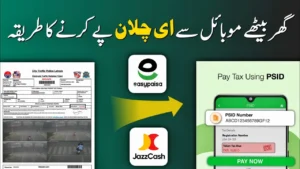
How to Download and Pay Traffic e-Challan Online in Punjab – Complete Guide
Assalam-o-Alaikum!
In today’s guide, I’ll explain how to download your traffic e-challan, review it, and pay it online in a very simple way. I’ll also show you a new and reliable method in case the official website doesn’t work.
If you watch this guide carefully till the end, everything will become clear. Let’s get started.
What Is a Traffic e-Challan?
A traffic e-challan is an online traffic fine issued through cameras installed under the Safe City project. Violations like jumping a red signal, speeding, or lane violations are automatically recorded.
Official traffic challans in Punjab are managed by the Punjab Safe Cities Authority (PSCA).
👉 Official Website:
https://psca.gop.pk
Method 1: Download Traffic e-Challan from PSCA Website
First, go to Google and search for “e-Challan Punjab”. Open the PSCA website.
Note: Sometimes this website is down or slow, which is why many people face problems.
Steps to Check Your e-Challan
- Enter your vehicle registration number
- Enter your CNIC number or chassis number
- Tick “I’m not a robot”
- Click on Search
You will now see all paid and unpaid traffic challans linked to your vehicle.
How to Download and Check Challan Photos
Before paying any challan, always download and check the image.
- Open the challan
- View the violation image
- Confirm whether the challan is valid or not
This step is very important because sometimes challans are issued incorrectly.
How to Submit Review for a Wrong Traffic Challan
If you believe your challan is wrong, don’t worry — there is a proper review system.
Reasons You Can Select for Review
- Violation occurred on green signal
- Violation on yellow light
- Emergency vehicle (ambulance, police)
- Violation not clearly communicated
- Wrong registration number
- Fake or mismatched vehicle number
Review Submission Steps
- Click on Review
- Select the appropriate reason
- Enter your email address
- Explain the issue briefly
- Submit the review
If your claim is valid, the challan will be cancelled after verification.
Problem: How to Pay Traffic e-Challan Without PSID?
Many people face this issue because PSCA challans often show only a challan number, not a PSID — which is required for online payment.
So here is the new and working method to both download and pay challans.
Method 2: Pay Traffic e-Challan Using ePay Punjab (Recommended)
You can use ePay Punjab from mobile or computer.
👉 Official Website:
https://epay.punjab.gov.pk
👉 Android App:
Download from Play Store
Create an ePay Account
- Sign up using your mobile number
- Enter CNIC, email, and password
- Verify with OTP
- Log in to your account
Check and Generate Traffic Challan
- Scroll down and select Punjab Police
- Click on Driving License / e-Challan
- Enter your vehicle number (with dash)
- Click Search
All unpaid challans will appear on your screen.
Generate PSID and Pay Online
- Select all unpaid challans
- Click Generate Challan
- A PSID number will be generated
You can now pay using:
- JazzCash
- Easypaisa
- Bank mobile apps
- GoPB bill payment
👉 JazzCash Official Site:
https://www.jazzcash.com.pk
👉 Easypaisa Official Site:
https://www.easypaisa.com.pk
After payment, all dues will be cleared automatically.
Final Words
If the PSCA website is not working, you can check, download, review, and pay your traffic challan entirely through ePay Punjab.
I hope this guide helped you understand everything clearly.
If you found it useful, don’t forget to like, share, and subscribe.
Thank you. Allah Hafiz.